How to Choose a Home Paper Shredder: Security Levels, Sheet Capacity and Run Time Explained
Shredder listings shout big numbers: “18 sheets!”, “jam-proof!”, “micro-cut!”. Most of those numbers mean less than they appear to, and the one figure that most affects how much you will enjoy owning a shredder, its run time, is usually in small print.
This guide covers the five specifications that matter for home use, in order of importance, followed by a checklist and two example models that show how to read a spec sheet.
1. Security level: the number that actually protects you
Shredder security is defined by the German standard DIN 66399, also published internationally as ISO/IEC 21964. For paper it sets seven levels, P-1 to P-7, based on the maximum size of each shredded particle. Higher numbers mean smaller pieces.
| Level | Maximum particle size (paper) | Typical cut | Suitable for |
|---|---|---|---|
| P-2 | Strips up to 6 mm wide, or 800 mm² | Strip-cut | Internal, non-personal papers |
| P-3 | Strips up to 2 mm wide, or 320 mm² | Cross-cut | Personal data such as addresses and order confirmations |
| P-4 | 160 mm², regular particles up to 6 mm wide | Cross-cut / micro-cut | Particularly sensitive data: account numbers, invoices, tax forms |
| P-5 | 30 mm², regular particles up to 2 mm wide | Micro-cut | Highly confidential business data |
| P-6 / P-7 | 10 mm² / 5 mm² | High-security | Classified material |
Source: DIN 66399 particle requirements as summarised by shredder manufacturer Novus Dahle and in published academic tables.
For a household, P-4 is the sensible target. It covers the documents that matter for identity theft (bank and card statements, tax returns, pay stubs, medical bills, pre-approved credit offers), and the standard describes P-4 particles as reconstructable only with equipment that is not commercially available. P-5 and above shred more slowly, hold fewer sheets per pass and fill the bin faster, which is a real cost in daily use for little added protection at home.
Avoid strip-cut shredders (P-1/P-2) for anything with personal data. Long strips can be reassembled.
Cross-cut vs micro-cut: these are marketing terms, not standards. A “cross-cut” shredder can be P-3 or P-4, and a “micro-cut” can be P-4 or P-5. Always look for the P-number on the spec sheet.
2. Run time: the spec that decides whether you will enjoy it
Every home shredder overheats eventually. Manufacturers state a duty cycle such as “20 minutes on, 30 minutes off”: the machine runs for 20 minutes, then needs 30 minutes to cool down.
Budget shredders often run only 2 to 5 minutes before a long cool-down. That is fine for a few envelopes a week. It is miserable if you are clearing seven years of old tax files on a Saturday.
Ask yourself one question: will I ever shred a backlog? If the answer is yes, prioritise run time over sheet capacity. A machine that shreds 12 sheets for 30 minutes gets through far more paper than one that shreds 18 sheets for 5 minutes and then stops for 40.
3. Sheet capacity: discount the headline number
Sheet capacity is quoted for standard 8.5 x 11 in, 20 lb (75 g/m²) paper at the rated voltage. Fellowes’ own manual for the 1800MC warns that heavier paper, humidity or other-than-rated voltage may reduce capacity. Real household paper includes folded letters, stapled statements and envelopes. As a rule of thumb, plan on feeding noticeably less than the headline number in each pass, perhaps three-quarters, and save the maximum for clean, flat sheets.
For most homes, 10 to 18 sheets per pass at P-4 is plenty.
4. Bin size and how you empty it
Shredded paper takes up much more space than flat paper. Look at:
- Bin capacity in gallons. Around 6 gallons suits occasional use, and 8 gallons or more suits regular use or a shared home office.
- Pull-out bin vs lift-off head. A pull-out drawer is far less messy than lifting a motor head off a basket.
- Bin-full indicator. An overfilled bin is a common cause of jams.
Micro-cut confetti packs densely, so a bag holds more sheets, but it spills more easily when you empty the bin.
5. Jam handling, safety and what else it shreds
- Jam prevention: many models auto-reverse when they detect a jam. Some premium Fellowes models use what the company calls a “100% Jam Proof” system, which it says detects and powers through tough jobs instead of just reversing.
- Safety sensors: if you have children or pets, look for a feature that stops the blades when skin touches the paper slot (Fellowes calls it SafeSense).
- Extras: most P-4 machines also shred staples, paper clips and credit cards. Check before feeding CDs or DVDs.
- Noise: rarely specified in decibels. “Quiet” claims (Fellowes calls its system SilentShred on the 79Ci) are not standardised, so treat them as relative.
Two example spec sheets, decoded
To show how this works in practice, here are two widely sold P-4 home-office models from the same brand, read straight from the manufacturers’ published specifications.
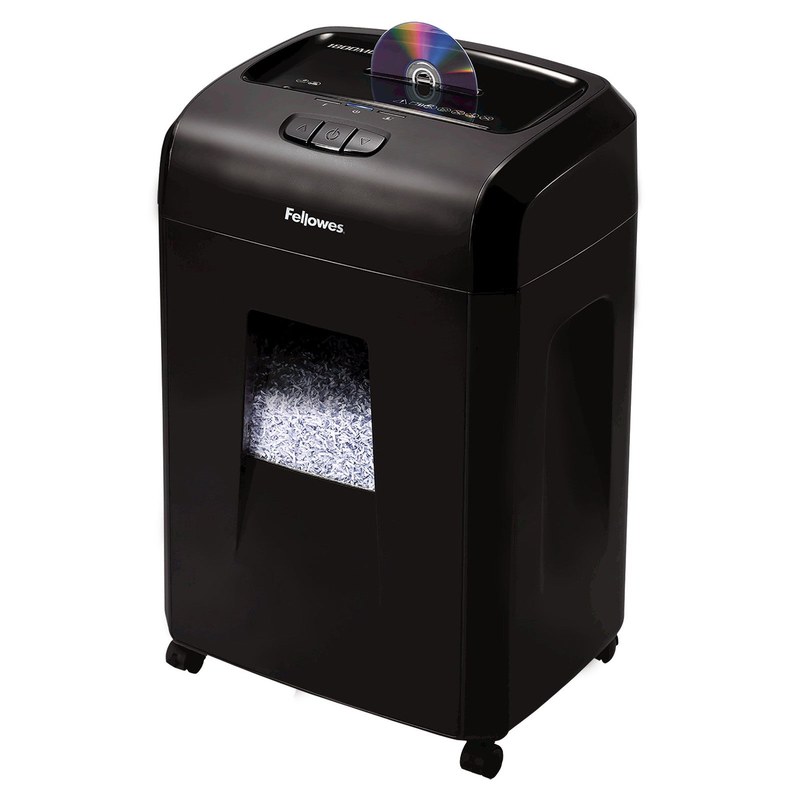
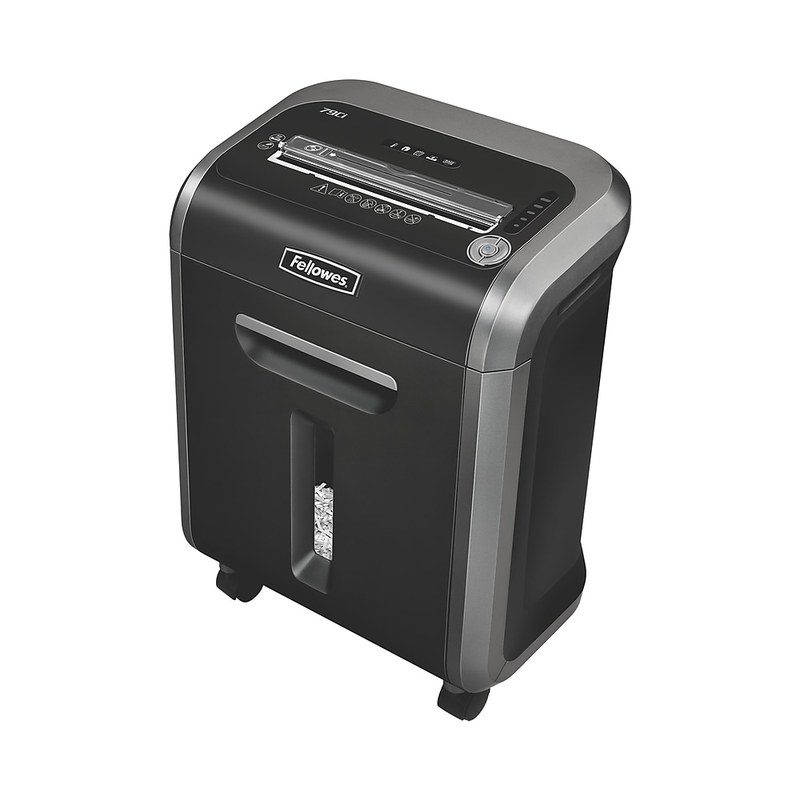
| Specification | Fellowes Powershred 79Ci | Fellowes Microshred 1800MC |
|---|---|---|
| Security level | P-4 | P-4 |
| Cut type and particle size | Cross-cut, 5/32 in x 1-1/2 in (about 4 x 38 mm) | Micro-cut, 4 x 12 mm |
| Rated sheet capacity | 16 sheets | 18 sheets |
| Run time | 20 min on / 30 min off | 30 min continuous, then 15 min cool-down |
| Bin | 6 gallons, pull-out, bin-full LED | 8 gallons, pull-out |
| Jam handling | 100% Jam Proof system | Auto reverse |
| Safety sensor | SafeSense (stops when hands touch the opening) | Not listed |
| Also shreds | Staples, clips, credit cards, CDs/DVDs, junk mail | Staples, small clips, junk mail; cards and CDs one at a time via a separate strip-cut slot |
| Maximum recommended daily use | Not stated on data sheet | 1,500 sheets, 25 cards, 10 CDs |
| Warranty (per manufacturer) | 2 years product and service, lifetime on cutters | 1 year product, 5 years on cutting blades |
Fellowes Powershred 79Ci (check current price) · Fellowes Microshred 1800MC (check current price)
How to read this table: both meet the P-4 target for paper. The 79Ci makes longer particles that still fall within the P-4 limit (about 151 mm² against a 160 mm² ceiling) and adds a jam-prevention system and a safety sensor. The 1800MC makes much smaller paper particles (48 mm²), runs longer and has a bigger bin, but lists fewer protective features and a shorter overall warranty. Note that its card/CD slot is strip-cut (30 mm strips), so those items are not reduced to P-4 size. A family with young children might weigh the safety sensor heavily. Someone clearing a large archive might prefer the longer run time and bigger bin.
Note that some retailer listings for the 79Ci show older figures (14 sheets, P-3, 12 minutes on). Always check the current manufacturer data sheet, because models are revised over time.
A quick checklist before you buy
- Is it P-4 or higher? If not, skip it for personal documents.
- What is the continuous run time? Ten minutes or more for occasional backlogs, 20–30 minutes if you share it or clear archives.
- Is the sheet capacity realistic? Plan on about 75% of the headline number.
- Does the bin pull out, and is it at least 6 gallons?
- Does it have a safety sensor if children or pets are around?
- Does it handle staples and cards so you do not have to pre-sort?
- What does the warranty cover? Cutters and motor are the parts that fail.
What to shred, and what to keep
Shredding is the last step of a paperwork system, not the first. Before you shred:
- Scan anything you might need later. A sheet-fed scanner makes this fast (see our ScanSnap iX2500 vs iX1600 comparison).
- Keep originals you cannot easily replace, such as deeds, titles, wills and certificates, in a fire-rated box (see our fireproof safe guide).
- Check retention guidance for tax records. The IRS explains how long to keep records on its “How long should I keep records?” page, and we summarise it in our document retention guide. Requirements depend on your situation, so check the official page or ask your tax preparer.
Good candidates for shredding: old bank and card statements you have scanned, pre-approved credit offers, expired insurance cards, old pay stubs after you have checked them against your annual tax forms, and anything printed with an account number you no longer need.
Bottom line
Choose a shredder by security level first (P-4), run time second, sheet capacity third. A P-4 machine with a 20–30 minute run time and a pull-out bin of 6 gallons or more will cover almost any household. P-5 and above trade speed, capacity and bin life for protection most homes don’t need.
Sources: DIN 66399 / ISO/IEC 21964 particle-size requirements (via Novus Dahle and a published table in Scientific Reports); Fellowes Powershred 79Ci U.S. data sheet and 79Ci user manual (assets.fellowes.com); Fellowes Powershred 1800MC user manual (assets.fellowes.com) and Costco listing for bin size; IRS “How long should I keep records?”. Specifications checked November 9, 2026 and subject to change.